How to Automate Your Returns Process in 2026
Transform your returns process in 2026. Discover three proven steps to automate returns effectively, streamline operations, and enhance customer satisfaction.

The fastest path to a better returns operation is an event-driven, rule-governed workflow that gates refunds on inspection and routes customers toward exchanges before issuing cash back. If you're starting from zero, here are three things you can do this week:
- Enable self-serve returns on your storefront so customers can initiate requests without emailing support.
- Create three auto-approve rules covering your most common return reasons (size, fit, wrong item) for orders under a threshold you're comfortable with, say a moderate value within your budget.
- Run a two-week label-generation pilot with negotiated carrier rates to measure label cost and transit time before you wire the full workflow.
After that pilot, you'll have real data to validate your rules and test integration with your ERP or WMS. Aim for several returns processed before you declare the pilot a success.
Key Takeaways
An event-driven, inspection-gated returns workflow with exchange-first rules is the most effective way to reduce costs, speed refunds, and recover revenue from returns.
| Point | Details |
|---|---|
| Adopt event-driven workflows | Wire return.approved, shipment.delivered, and inspection.complete events to eliminate manual re-keying across systems. |
| Gate refunds on inspection | Never auto-refund before physical verification; inspection-gated refunds protect margins and reduce fraud losses. |
| Prioritize exchanges first | Presenting an exchange before a refund is the highest-ROI automation pattern for revenue recovery. |
| Measure refund time and cost per return | Track these two KPIs from day one; they quantify ROI and reveal where the workflow still has manual bottlenecks. |
| Ernest automates return initiation | Heyernest's Ernest handles return requests in your store's chat 24/7, initiates returns against your policy, and escalates complex cases with full context attached. |
Table of Contents
- What does automating the returns process actually cover?
- Core systems you need to automate returns
- What automation rules actually look like in practice
- How automated fraud detection protects your margins
- Which systems to connect and how data should flow
- How do you measure whether returns automation is working?
- Your step-by-step rollout plan
- How Ernest automates returns and reduces support tickets
- Common mistakes that stall returns automation
- Ernest handles returns so your team doesn't have to
- Why returns automation matters more than most teams realize
- Sources
What does automating the returns process actually cover?
Returns automation, as ReturnLogic defines it, is the digitization and management of the full return lifecycle, replacing manual, laborious steps with event-triggered actions that move returns from request to resolution without human re-keying. It's different from just having a returns policy. A policy tells customers what's allowed. Automation enforces that policy at scale.
The lifecycle has four phases:
- Return initiation: The customer submits a request through a self-serve portal, chat, or email. Automation checks eligibility against your rules (order age, SKU class, reason code) and either approves, denies, or escalates.
- RMA and label generation: An approved request triggers an RMA number and a prepaid shipping label, sent automatically to the customer. No one on your team touches it.
- Inbound inspection and disposition: When the item arrives at your warehouse, a scan triggers an inspection task. The grader records a condition code (resellable, damaged, unsellable), and the system decides: restock, liquidate, or write off.
- Refund, exchange, or store credit issuance: The inspection verdict triggers the financial action. Pass → refund or exchange. Fail → hold for manual review.
Shopify's returns management guide recommends starting with built-in admin tools before layering on specialized apps as your volume and complexity grow. That's solid advice. Don't over-engineer the stack on day one.
What automation typically handles: eligibility checks, label generation, event triggers, status notifications, and refunds on inspection pass.
What stays manual: suspected fraud, complex warranty claims, high-value exceptions, and any return where the inspection grade is ambiguous.
One compliance note worth confirming during implementation: U.S. consumer rights rules and data privacy regulations (including state-level laws like the CCPA) affect how you store return request data and what refund timelines you're obligated to meet. Check with a qualified professional before finalizing your policy automation logic.
Core systems you need to automate returns
You don't need a massive tech stack, but you do need the right pieces connected in the right order. Here's what the architecture looks like:
- Self-serve returns portal: The customer-facing form where return requests are submitted. It enforces your eligibility rules, collects reason codes, and hands off to the orchestration layer.
- Rule engine / workflow orchestration: The brain of the operation. It subscribes to events (return.approved, shipment.delivered, inspection.complete) and fires the right action for each state transition.
- Label and rate engine: Generates prepaid shipping labels, selects carrier and service level, and posts tracking IDs back to the orchestration layer. Tools like ShipStation handle this well.
- Carrier integrations: Direct connections to UPS, FedEx, USPS, or regional carriers so inbound scans trigger downstream events automatically.
- WMS/OMS/ERP event listeners: Your warehouse management system needs to receive inspection tasks and post item receipts, restock transactions, or write-offs back to your ERP (NetSuite, for example) with reason-coded accounting.
- Fraud and risk scoring: A scoring layer that evaluates each return request against behavioral signals before auto-approving. More on this in the fraud section below.
- Analytics and reporting: A dashboard that tracks refund time, cost per return, exchange rate, and exception rate so you can measure ROI and tune your rules.
For Shopify merchants, the integration map looks like this: Shopify (storefront and POS) connects to your returns portal via webhook; the portal hands off to an orchestration layer; the orchestration layer calls ShipStation for labels and your WMS for inspection tasks; your ERP (NetSuite or similar) receives restock and refund postings; and your helpdesk or CRM (see Zendesk alternatives for AI-native options) receives status updates to close support tickets automatically.
Before you wire anything: agree on a consistent SKU master, fixed reason codes (no free-text), and a documented data contract. These three inputs are what make automation reliable. Without them, you're building on sand.
What automation rules actually look like in practice
The core pattern is simple: event → condition → action. Every rule you write follows this shape. Here are six patterns worth implementing, described in plain terms you can translate into your rule engine.
Auto-approve low-value returns
If a return request comes in for an order under $50 and the reason is "size" or "fit," approve it automatically, generate a label, and send the customer a confirmation. No human review needed. The math is straightforward: the cost of a support agent reviewing that ticket exceeds the risk of approving it.
Exchange-first flow for eligible SKUs
Before issuing a refund, present the customer with an exchange option. Loop Returns has built their entire product around this pattern, using AI product suggestions to surface the right replacement. If the customer accepts the exchange, you retain the revenue. If they decline, the refund flow continues. This is the single highest-ROI pattern in returns automation.

Gate refunds on inspection pass
Don't issue a refund until the item has been physically received and graded. The orchestration layer holds the refund trigger until it receives an inspection.complete event with a passing grade. Fluent Commerce's returns orchestration does exactly this, cutting refund times from weeks to days while keeping financial controls intact.
Hold high-velocity returns for manual review
If a customer has submitted more than three return requests in 30 days, route the new request to a manual review queue instead of auto-approving. This is your first line of fraud defense.
Auto-convert refunds to store credit with an incentive
Offer customers 10–15% extra value if they take store credit instead of a cash refund. Automate the messaging and the credit issuance. This pattern recovers revenue and improves retention, and it costs almost nothing to implement once your orchestration layer is wired.
Escalate complex cases with context
Any return that doesn't match a known reason code, involves a high-value item, or triggers a fraud flag should be routed to a human agent with the full context attached: order ID, RMA number, customer history, and reason code. The agent shouldn't have to look anything up.
Pro Tip: Set your auto-approve threshold conservatively at first, say $50–$75, then raise it after your first 30-day pilot once you've confirmed your fraud scoring is working. Starting too high is the most common mistake teams make.
How automated fraud detection protects your margins
The answer here is multi-signal risk scoring: combine behavioral data, velocity checks, and item-level verification before auto-approving any return. Gate refunds until verification is complete for flagged requests.
Common signals fed into scoring models include:
- Return velocity per customer: More than two or three returns in a short window is a flag.
- Repeat low-value returns: Customers who consistently return items just under your auto-approve threshold may be gaming the system.
- Mismatched delivery addresses: The shipping address on the return doesn't match the original order address.
- Item-level tag scans: Happy Returns uses item-level verification (their Return Vision technology) to confirm the physical item matches the return request before triggering a refund.
- Reason vs. historical pattern mismatch: A customer who has never returned for "defective" before suddenly submitting three defective claims in a week warrants a closer look.
The action matrix based on score bands looks like this: a low-risk score triggers auto-refund or auto-exchange; a medium-risk score triggers an auto-exchange offer or holds the refund until the inbound scan confirms receipt; a high-risk score routes the return to a manual fraud queue with all signals attached.
Return fraud is a real and growing problem for U.S. merchants. Happy Returns reports that item-level verification combined with AI risk scoring speeds restocking and reduces customer service contacts when reverse logistics are consolidated. The key insight is that delaying a refund by a day or two for physical verification costs almost nothing in customer experience terms but eliminates a significant category of fraudulent claims.
Which systems to connect and how data should flow
The event-driven approach described by US Tech Automations shows exactly how this works in practice: a return.approved event triggers label generation in ShipStation; a shipment.delivered event triggers an inbound inspection task in the WMS; an inspection.complete event posts an item receipt and refund to NetSuite. No one re-keys anything.
Here are the system pairs and why each connection matters:
- Ecommerce platform ↔ returns portal: Shopify sends order data and policy rules to the portal so eligibility checks are accurate.
- Returns portal ↔ orchestration layer: The portal fires events (return.submitted, return.approved) that the orchestration layer subscribes to.
- Orchestration ↔ label engine: Approved returns trigger label requests; tracking IDs come back and are stored on the RMA record.
- Label engine ↔ carrier: Direct carrier API connections ensure inbound scans fire events back into the orchestration layer.
- Orchestration ↔ WMS/ERP: Inspection verdicts trigger restock postings or write-offs in your ERP, with reason-coded accounting.
- Orchestration ↔ helpdesk/CRM: Status changes (label sent, item received, refund issued) push notifications to your helpdesk so support tickets close automatically.
Data contract checklist
Every event payload should carry these mandatory fields: order_id, sku, rma_id, reason_code, customer_id, return_value, tracking_id, inspection_grade. Missing any of these means downstream systems can't act reliably.
Integration testing tips
Run event replay tests to confirm each event fires the right downstream action. Check idempotency: if the same event fires twice (a common edge case), your system should not issue two refunds. Simulate inbound scans to validate that the inspection-to-refund gate works before you go live.
| Trigger event | Expected output |
|---|---|
| return.submitted | Eligibility check fires; RMA created or denied |
| return.approved | Label generated; confirmation email sent to customer |
| shipment.delivered | Inspection task created in WMS |
| inspection.complete (pass) | Restock posted to ERP; refund or exchange triggered |
| inspection.complete (fail) | Write-off posted to ERP; manual review task created |
How do you measure whether returns automation is working?
Track five metrics from day one: refund time (hours from return.approved to refund.issued), cost per return (labor + shipping + processing), exchange rate (percent of returns converted to exchanges or store credit), return processing time (hours from inbound scan to disposition), and return reason distribution (which SKUs and reasons drive volume).
Here's a sample ROI calculation you can replicate with your own numbers. Say your team currently spends 15 minutes per return on manual processing, you handle 500 returns per month, and your fully loaded labor cost is $25/hour. That's 125 hours of labor per month, or $3,125. Automation that cuts manual time to 3 minutes per return saves roughly 100 hours, or $2,500 per month. Add label cost savings from negotiated carrier rates and the revenue recovered through exchange-first flows, and the payback period on most returns automation projects is under six months.
Each metric has a clear source of truth:
- Refund time: your OMS or ERP transaction log
- Cost per return: finance/accounting system
- Exchange rate: returns portal analytics
- Processing time: WMS scan timestamps
- Return reason distribution: returns portal reason codes
Reporting cadence: run weekly dashboards during your pilot so you can catch rule misfires early. After go-live, monthly executive summaries are enough, with a quarterly rule review to adjust thresholds based on fraud patterns and exchange conversion data.
Your step-by-step rollout plan
A phased approach keeps risk low and gives you real data before you commit to a full build.
Phase 1: Prep (2–4 weeks)
- Audit your current returns volume, reason codes, and manual steps.
- Define your SKU master, reason code taxonomy, and inspection grade criteria.
- Document your data contract (mandatory fields for every event payload).
- Select your returns portal and orchestration tooling.
- Draft your refund and return policy and confirm it meets U.S. consumer rights requirements.
Phase 2: Pilot (2–6 weeks)
- Enable self-serve returns for a subset of SKUs or order types.
- Wire three auto-approve rules and one exchange-first flow.
- Connect label generation and one carrier integration.
- Process 100–500 returns and log every exception.
Pilot acceptance checklist:
- Event mapping validated end-to-end
- 100–500 returns processed without data integrity errors
- Exception escalation rate below 10%
- Average refund time reduced from baseline
- ERP/WMS restock postings confirmed accurate
Phase 3: Iterate (4–8 weeks)
- Review exception queue weekly and refine rules.
- Add fraud scoring and adjust velocity thresholds.
- A/B test exchange incentive messaging.
- Expand to additional SKU classes.
Phase 4: Scale (ongoing)
- Roll out to full catalog.
- Add analytics dashboards for merchandising and finance.
- Conduct quarterly rule reviews.
Rollback plan: every rule should have a manual override switch. If a rule misfires (say, auto-approving returns it shouldn't), you need to pause it in under five minutes and route affected returns to the manual queue. Keep an audit log of every automated action so you can reconstruct what happened.
How Ernest automates returns and reduces support tickets
Ernest, Heyernest's AI-powered customer support agent, fits into the returns workflow at the customer-facing layer. It connects to your Shopify store, ingests your return policy, product data, and FAQs, then handles return requests in real time, 24/7, without a support agent involved.
Here's the sequence in practice: a customer opens a chat and asks to return an order. Ernest pulls up the order, checks eligibility against your policy, and initiates the return — either automatically or gated behind a one-click approval from you, depending on how you've configured it. Refunds always come to you for approval. If anything falls outside the normal flow (a fraud flag, a warranty claim, an unusual request), Ernest escalates to a human with the full conversation context attached.
What Ernest needs to run this:
- Your Shopify store connected (orders, products, and policies come across on setup)
- Your return policy and FAQs on your site, which Ernest ingests into its knowledge base
- An escalation email address for the cases that need a human (see AI customer service for Shopify for setup notes)
Pro Tip: Start with returns in approval mode: Ernest drafts the action and you approve each one with a click. Once you've watched it make the right call for a week or two, switch returns to fully automatic and keep only refunds on approval.
Common mistakes that stall returns automation
A few patterns come up again and again when returns automation projects go sideways.
Do:
- Start with three to five rules and expand after your pilot confirms they're working.
- Codify reason codes before you wire anything. Free-text reason fields break every downstream system.
- Gate refunds on inspection verdicts. Issuing refunds before physical verification is the fastest way to lose money.
- Monitor your exception queue daily during the pilot. A spike in exceptions is an early warning that a rule needs adjustment.
- Surface return reason data to your merchandising team. If 30% of returns on a specific SKU cite "not as described," that's a product listing problem, not a returns problem.
Don't:
- Automate everything without exception paths. Every rule needs a fallback to manual review.
- Keep inconsistent SKU masters across your ecommerce platform, WMS, and ERP. Mismatched SKUs cause silent failures that are hard to debug.
- Define inspection grades loosely. "Good condition" means different things to different warehouse staff. Use a four-grade scale (A/B/C/D) with photos and written criteria.
- Skip fraud gating because it feels like extra complexity. It's not optional at any meaningful return volume.
Operational pitfalls to watch:
- Copy-paste manual bridges (someone exports a CSV and re-imports it) are a sign your event wiring isn't complete. Find and eliminate them.
- Poorly defined inspection grades create disputes between finance and operations about write-off amounts.
- No fraud gating means your auto-approve rules are a free money exploit for bad actors.
Pro Tip: Run a quarterly rule review with your finance and operations leads. Return fraud patterns change, exchange incentive effectiveness drifts, and SKU mix shifts. Rules that were right six months ago may need recalibration.
Inventory Source's best practices guide reinforces the importance of balancing faster customer response with financial safeguards and clear routing logic. Speed and control aren't opposites; the right rule engine gives you both.
Ernest handles returns so your team doesn't have to
Most returns start with a customer message. "Can I return this?" "I got the wrong size." "It arrived damaged." Every one of those messages is an opportunity to resolve the issue instantly or lose the customer to frustration.
Ernest answers those messages in minutes, not hours. It connects to your Shopify store, reads your return policy, and initiates the return right in the chat. No ticket queue. No waiting until Monday morning. Customers get a resolution, and your team gets their time back.
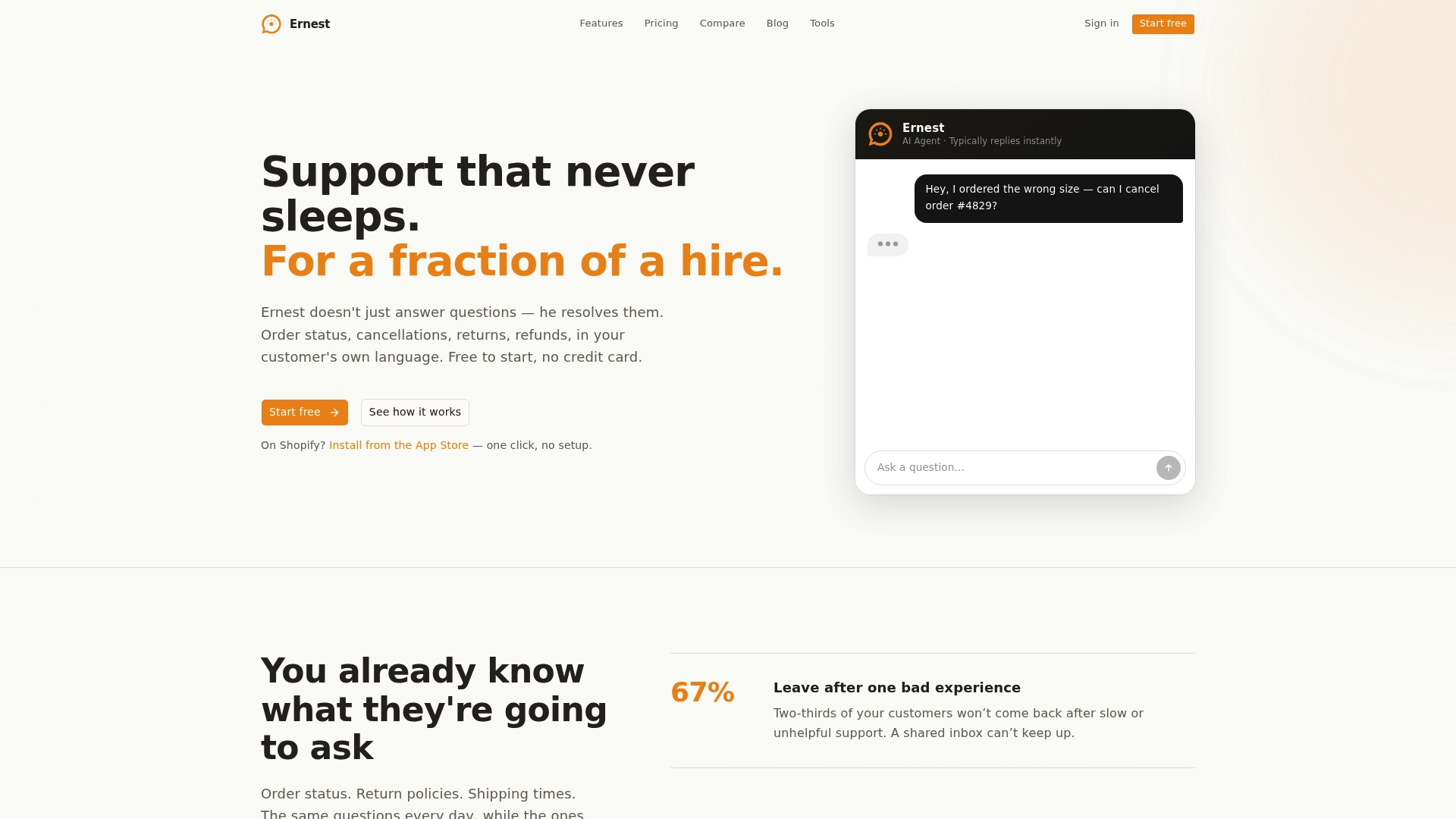
Where Ernest stands out is that its answers are grounded in your actual policy and live order data, and you choose how much control to keep: returns and cancellations can run fully automatic or wait for your one-click approval, and refunds always do. Complex cases get escalated to a human agent with full context already attached, so nothing falls through the cracks. For teams managing high return volumes, that combination of instant resolution and smart escalation cuts support ticket volume significantly.
Try Ernest free and see how quickly it fits into your existing Shopify setup.
Why returns automation matters more than most teams realize
Returns used to be treated as a cost center, something to minimize and move on from. The teams getting the most out of their operations right now are treating returns as a second chance at the sale. An exchange-first workflow doesn't just save a transaction; it often deepens the customer relationship because the resolution was fast and the replacement was right.
What I'd tell any ecommerce manager starting this work: don't wait for the perfect stack. Wire three rules, run a pilot on 100 returns, and measure what breaks. The data from a small, instrumented pilot is worth more than six months of planning. The teams that iterate fast on real return data consistently outperform the ones that spend months designing the ideal workflow before processing a single automated return.
The technology is mature enough now that the barrier isn't capability. It's the willingness to start small, codify your reason codes, and trust the data.
Sources
The sources below back the claims in this article and are worth bookmarking for technical implementation and strategy work.
- Ecommerce returns management (Shopify blog)
- Automate end-to-end returns processing (Fluent Commerce docs)
- Automate Returns Processing Across 3 Systems in 2026 | US Tech Automations
- Loop Returns
- Returns software and reverse logistics for e-commerce merchants (Happy Returns)
- What is ecommerce returns automation? (ReturnLogic)