AI Customer Service for Shopify: Best Agents in 2026
Discover the best AI customer service for Shopify in 2026. Learn how Ernest and other agents enhance support and boost sales today!

For most Shopify stores, the right move is a catalog-aware AI agent that resolves common tasks inside the chat window — not just deflects them to an FAQ page. Ernest, built by Heyernest, is the recommended starting point: it connects directly to your Shopify order and product data, handles refunds and cancellations end-to-end, and runs 24/7 on a transparent, tiered pricing model that includes a free plan.
A few quick category verdicts to orient you:
- Shopify Inbox / Sidekick works well for small stores with low conversation volume and basic FAQ needs. It's free and already in your admin.
- Entry-level chat widgets (simple live chat tools with basic bot rules) are fine for capturing leads but fall short when a customer needs a real resolution.
- Full helpdesk platforms (multi-channel ticketing systems) make sense once your team is handling hundreds of tickets per day across email, phone, and chat simultaneously.
- Catalog-aware AI agents like Ernest are the sweet spot for most growing Shopify stores: they read live product and order data, complete tasks, and escalate cleanly when a human is needed.
Your first 48 hours:
- Install a catalog-aware agent on your Shopify store and grant the necessary API permissions.
- Run an order lookup test: type in a real order number and confirm the agent returns the correct tracking status.
- Measure your baseline resolution rate (conversations closed without human handoff) so you have a number to beat by day 7.
Table of Contents
- Which AI agent category fits your Shopify store?
- How do you pick the right AI agent for your Shopify store?
- What should you let AI handle — and what stays with your team?
- When is Shopify Inbox enough, and when should you upgrade?
- How to install and test an AI agent on Shopify in 7 days
- How we evaluated the tools in this guide
- Ernest: why we recommend it for most Shopify stores
- Key Takeaways
- The part most merchants miss about AI support
- Ernest is ready to run on your Shopify store today
- Useful sources and vendor docs to read next
Which AI agent category fits your Shopify store?
Before committing to any tool, it helps to see the categories side by side. The table below maps store size and use case to the right agent type.
| Dimension | Entry-level chat widget | Shopify-native tools (Inbox/Sidekick) | Catalog-aware AI agent (e.g., Ernest) | Full helpdesk platform |
|---|---|---|---|---|
| Best for | Micro stores, lead capture | Small stores, FAQ deflection | Growing stores, resolution-first | High-volume, multi-channel ops |
| Pricing / free plan | Usually free or low-cost | Free with Shopify | Free tier + paid plans | Mid-to-high monthly fees |
| Shopify integration depth | Minimal | Native, limited actions | Deep API: orders, products, returns | Varies; often via third-party connector |
| Channels supported | Chat only | Chat (storefront) | Chat, email, multilingual | Chat, email, SMS, social, phone |
| Automation vs. resolution | Deflection only | Suggested replies, FAQ | Full resolution: refunds, cancellations, cart edits | Depends on AI add-on tier |
| Setup time | Minutes | Already installed | Under 30 minutes | Days to weeks |
| Security & data handling | Varies | Shopify-managed | US-compliant, data deletion on request | SOC 2 / enterprise-grade varies |
| Support & SLA | Community or email | Shopify support | Dedicated onboarding + docs | Tiered SLA by plan |
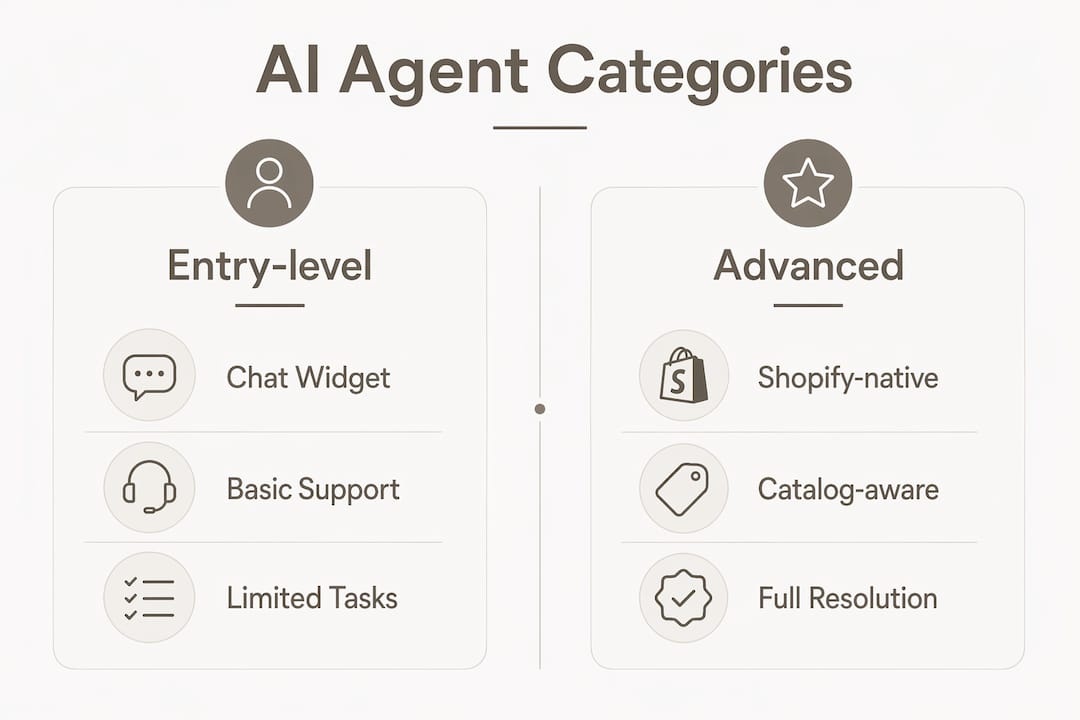
Most merchants reading this should start with a catalog-aware AI agent. If you're already on Shopify Inbox and hitting its limits — customers asking for refunds, order edits, or anything beyond a canned reply — that's the signal to move up. Full helpdesk platforms are worth the investment only when your support operation has grown into a multi-agent team managing several channels at once.
Tools covered in this guide: Ernest (Heyernest), Shopify Inbox, Shopify Sidekick, Gorgias, Tidio (Lyro), Re:amaze, Ada, Zendesk, Zowie, Richpanel, Fin (Fin.ai), and eDesk.
How do you pick the right AI agent for your Shopify store?
The single most important question to answer before buying anything: can this agent resolve a task, or does it just deflect it? Resolution vs. deflection is the meaningful difference. A deflection bot sends a customer to a help article. A resolution agent processes the refund, updates the order, and closes the ticket — inside the same chat window.
Evaluation checklist
Work through these before committing to any vendor:
- Resolution capability: Can it complete a refund, cancel an order, or edit a cart without a human stepping in?
- Shopify API depth: Does it read live order status, product variants, and inventory in real time — or does it rely on a manual data sync?
- Channel coverage: Do you need chat only, or also email, SMS, and social? Match this to where your customers actually reach you.
- Pricing model: Per-conversation billing adds up fast during peak season. Flat-tier plans (like Ernest's) are easier to budget.
- Scalability: Can the plan you're on today handle a 5x spike in November without a surprise overage bill?
- US data compliance: Where is conversation data stored? Is deletion on request supported?
- Onboarding and support: Is there a real setup guide, or are you on your own after install?
Self-service automation can save small stores hours per week — but only if the agent is actually resolving tickets, not just routing them.
Questions to paste into your next vendor demo
- "Walk me through what happens when a customer asks for a refund. Does the agent complete it, or does it create a ticket for a human?"
- "How does your Shopify integration work — API in real time, or a scheduled sync?"
- "What's your free tier conversation limit, and what happens when I exceed it?"
- "Where is conversation data stored, and can I request deletion?"
- "What's the typical time from install to first resolved conversation?"
Pro Tip: Run a resolution stress test during every trial: ask the agent to look up an order, then request a refund, then edit the cart, then ask to speak to a human. If it fails or hands off prematurely at any step, that's your answer before you pay a cent.
What should you let AI handle — and what stays with your team?
Getting this split right is where most stores either save hours or create new headaches. Here's how to think about it.
High-impact tasks AI can fully resolve
- Order status and tracking — Customer asks "Where's my order?" The agent looks up the order number, returns the tracking link and fulfillment status, and offers to email a copy. No human needed.
- Returns and refunds — Customer requests a return. The agent checks your policy, confirms eligibility, initiates the return label, and logs the refund. Start to finish, automated.
- Address updates — If the order hasn't shipped, the agent can update the shipping address via the Shopify API and confirm the change in chat.
- Product availability and variants — "Do you have this in a size large?" The agent reads live inventory and answers accurately, with an inline add-to-cart option.
- Cart recovery and checkout help — A shopper abandons mid-checkout. The agent re-engages, answers the blocking question (usually about shipping cost or return policy), and routes back to checkout.
- FAQ automation — Return windows, shipping times, discount codes. These are the highest-volume, lowest-complexity questions. AI handles them well.
- Multilingual support — Catalog-aware agents can reply in the customer's browser language, covering English, Spanish, French, and more without extra configuration.
Tasks that still need a human
- Complex complaints involving multiple failed resolutions or escalating frustration
- High-value B2B or wholesale inquiries where relationship context matters
- Situations requiring judgment calls outside your written policy
The practical flow for a fully automated order lookup looks like this: customer types "where is my package?" → agent identifies the order by email or order number → returns tracking link and estimated delivery → if the package is late, offers a refund or replacement → if the customer accepts, initiates the action → closes the conversation. Every step automated. A human only enters if the customer explicitly asks or if the agent hits a policy edge case.
Conversation templates for each of these flows are worth importing into your agent during setup — they cut configuration time significantly.
When is Shopify Inbox enough, and when should you upgrade?
Shopify Inbox is free and already connected to your store data. It surfaces AI-suggested replies during live chats, provides basic order tracking, and lets you set up instant answers for common questions. Shopify Sidekick goes a step further inside the admin, scanning your store policies and past conversations to generate suggested answers automatically.

For a store doing a handful of conversations per day, this is genuinely enough. You get order tracking, canned replies, and a clean handoff to Shopify's human support advisors when something falls outside the bot's scope.
Where Shopify's native tools fall short:
- They can't complete a refund or cancellation inside the chat window.
- Suggested replies are helpful but not autonomous — someone still needs to review and send.
- Multi-channel support (email, SMS, social) isn't part of the native package.
- Customization is limited; you can't tune the agent's tone or build complex resolution flows.
Pro Tip: Use Shopify Inbox for your first 30 days to identify which questions come up most. That list becomes your instant-answer library when you move to a dedicated agent — you'll already know exactly what to configure.
How to install and test an AI agent on Shopify in 7 days
This is the fastest path from "thinking about it" to "confident it works."
Quick install checklist
- Install the agent from the Shopify App Store (or via a direct link from the vendor).
- Grant the required API permissions: orders, products, customers, and returns.
- Enable the storefront chat widget through your theme settings (most agents use a Theme App Extension — no code required).
- Import your FAQ content, return policy, and shipping policy.
- Set your escalation rule: define when the agent should hand off to a human (e.g., after two failed resolution attempts, or on explicit customer request).
7-day validation timeline
- Day 1: Install + smoke tests. Confirm the widget appears on your storefront, the agent can look up a real order, and the escalation path works.
- Days 2–3: Configure instant answers for your top 10 FAQ topics. Test each one manually.
- Day 4: Run the resolution stress test (order lookup → refund → cart edit → escalate). Document where it passes and where it stumbles.
- Days 5–6: Tune phrasing, adjust your escalation threshold, and review any conversations where the agent missed the mark.
- Day 7: Pull your resolution rate and average response time. Compare to your baseline from day 1. Decide: keep, adjust, or pivot.
Three launch tests and what counts as a pass
| Test | Pass criteria | Fail signal |
|---|---|---|
| Order lookup | Agent returns correct tracking status within 10 seconds | Wrong order, error message, or "I don't know" |
| Refund flow | Agent initiates refund and confirms in chat without human | Creates a ticket instead, or says "contact support" |
| Cart edit + checkout | Agent updates cart and routes to checkout in same thread | Drops context or redirects to a separate page |
Pro Tip: Run all three tests with a real test order, not a hypothetical. Agents that pass on demo data sometimes stumble on live Shopify order structures — especially with partially fulfilled or split orders.
How we evaluated the tools in this guide
Every tool in this guide was assessed against the same criteria, applied consistently. The goal was to distinguish agents that resolve from those that merely deflect — a distinction that direct resolution testing surfaces faster than any vendor demo.
Evaluation criteria:
- Integration depth: Does the agent read live Shopify order and product data via API, or rely on manual uploads?
- Resolution capability: Can it complete a refund, cancellation, or cart edit end-to-end?
- Pricing transparency: Are all AI features available on lower tiers, or gated behind enterprise plans?
- Setup time: How long from install to first resolved conversation?
- US data handling: Where is data stored? Is GDPR/CCPA deletion supported?
- Channel breadth: Chat only, or also email, SMS, and social?
- Vendor support: Is there real onboarding documentation, or just a chatbot?
Test scenarios and pass/fail criteria
| Scenario | What was tested | Resolution (pass) | Deflection (fail) |
|---|---|---|---|
| Order lookup | Agent finds order by number/email, returns tracking | Accurate status + tracking link returned | "Contact support" or generic error |
| Refund initiation | Customer requests refund in chat | Agent initiates refund, confirms in thread | Ticket created, human required |
| Cart update | Customer changes size/color mid-conversation | Agent updates cart inline, confirms change | Redirects to product page |
| Escalation | Customer asks for a human mid-thread | Clean handoff with full conversation context | Context lost, customer must repeat |
Tools that passed all four scenarios were classified as resolution-capable. Tools that passed only order lookup were classified as deflection-capable. That distinction drove the category assignments in the comparison table above.
Ernest: why we recommend it for most Shopify stores
Ernest, built by Heyernest, is designed specifically for the resolution-first use case. It connects to Shopify via API, reads your live order data, product catalog, and store policies on install, and starts resolving common inquiries immediately — no lengthy training period, no manual catalog upload.
What Ernest handles out of the box:
- Order status lookups with real-time tracking data
- Return and refund initiation, start to finish
- Order cancellations (before fulfillment)
- Product availability, variants, and basic recommendations
- FAQ responses drawn from your imported policies
- Multilingual conversations
- Clean escalation to a human agent with full conversation context preserved
Pricing follows a tiered model with a free plan, making it accessible for solo founders and small teams before committing to a paid tier. There are no per-seat fees and no per-resolution charges — the cost is predictable regardless of how many agents your team has.
Ernest fits best for:
- Shopify stores handling a meaningful volume of repetitive support requests (order status, returns, refunds)
- Solo founders or small teams who can't staff 24/7 live chat
For a deeper look at what small stores get wrong before deploying an agent, the ecommerce customer service guide on the Heyernest blog is worth reading before you configure your first flows.
Key Takeaways
A catalog-aware, resolution-first AI agent is the most effective approach to AI customer service for Shopify stores — and Ernest is the recommended starting point for most merchants.
| Point | Details |
|---|---|
| Resolution beats deflection | Choose an agent that completes refunds and order edits in chat, not one that just links to help articles. |
| Run the stress test first | Order lookup → refund → cart edit → escalate is the fastest way to verify an agent before you pay. |
| Start native, then upgrade | Use Shopify Inbox to map your top questions, then bring that list into a dedicated agent's configuration. |
| Measure resolution rate weekly | Track conversations closed without human handoff — it's the clearest signal your agent is working. |
| Ernest is the recommended option | Heyernest's Ernest resolves common Shopify inquiries end-to-end on a free-to-start, transparent pricing model. |
The part most merchants miss about AI support
Most of the conversation around AI customer service focuses on cost savings and response speed. Those matter. But the thing that actually changes how a store operates day-to-day is whether the agent can close a conversation, not just respond to it.
A bot that answers "where's my order?" with a tracking link is useful. An agent that answers the question, notices the package is three days late, offers a replacement or refund, and processes the customer's choice — that's a different category of tool entirely. The first one reduces ticket volume slightly. The second one lets your human agents spend their time on conversations that genuinely need judgment: a frustrated repeat customer, a complex B2B inquiry, a situation where your policy doesn't quite fit.
The honest note: AI agents aren't ready to handle every conversation. Customers who are genuinely upset, or whose situation involves multiple compounding failures, still respond better to a human. The goal isn't to eliminate human support — it's to make sure human labor goes where it actually counts. A good escalation rule (trigger on explicit request, or after two failed resolution attempts) keeps the handoff clean and the customer from feeling like they're fighting a machine.
On staffing: if your store runs AI coverage 24/7, you don't need live agents around the clock. Schedule human shifts around your peak escalation windows — typically mid-morning and early evening in your primary time zone — and let the agent handle the overnight and weekend queue. That structure alone can cut your live support hours significantly without dropping service quality.
Ernest is ready to run on your Shopify store today
Most merchants spend weeks evaluating tools and still aren't sure if they made the right call. Ernest skips that uncertainty. It connects to your Shopify store in minutes, reads your live order and product data automatically, and starts resolving the questions your customers ask most — order status, returns, refunds — without a lengthy setup or a per-seat bill waiting at the end of the month.

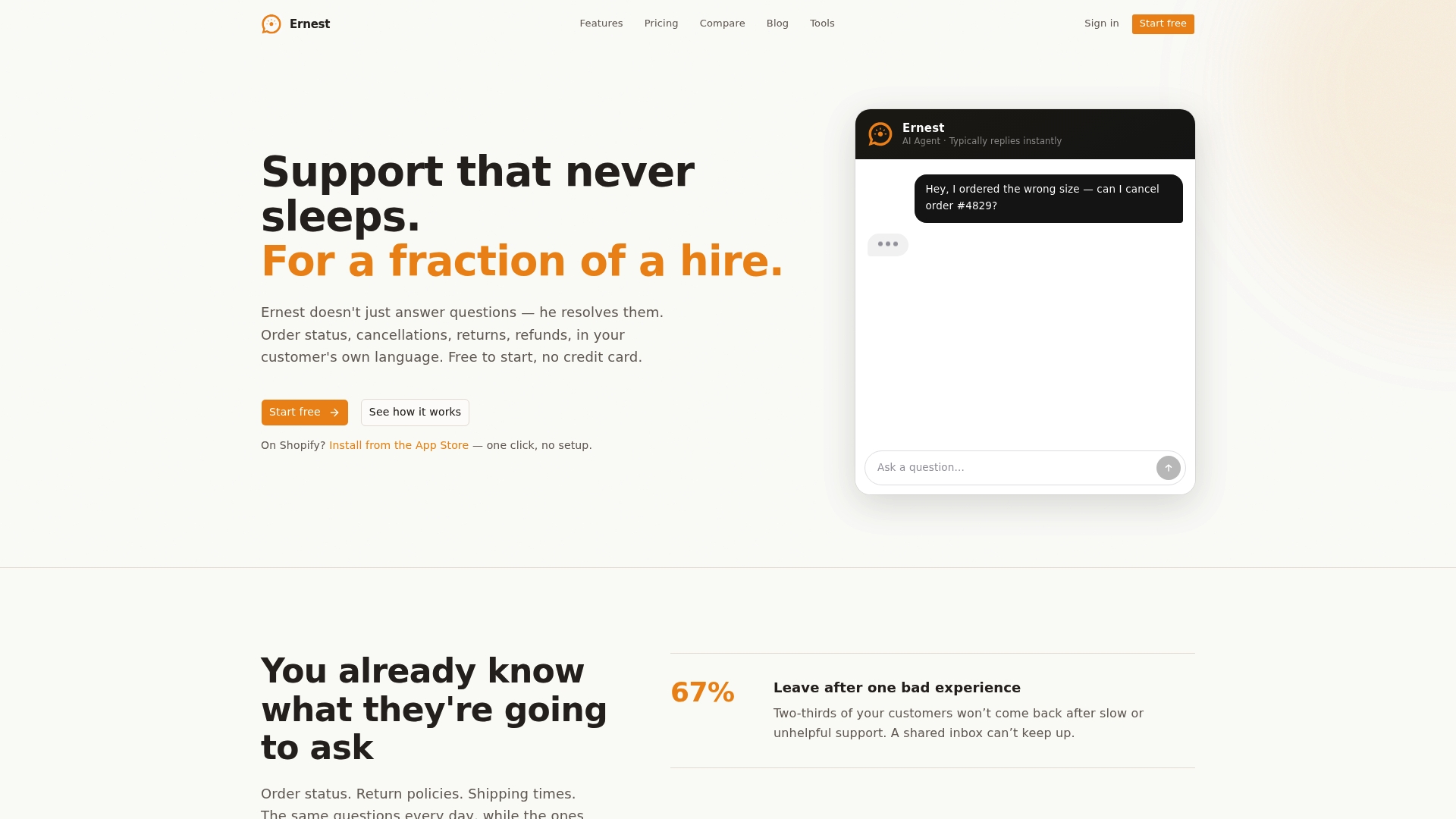
The free plan gives you real resolution capability from day one, not a watered-down demo. When your volume grows, the paid tiers scale with you — same features, more conversations. No surprises on the invoice.
If you're ready to stop answering the same five questions manually and start measuring what your support actually resolves, try Ernest free and run your first order lookup test today.
Useful sources and vendor docs to read next
Start with Shopify's own documentation to understand what's already available in your admin, then move to Ernest's setup resources to configure your first resolution flows.
Suggested reading order:
- Shopify Inbox and Sidekick: Shopify's AI chatbot guide explains native capabilities and where they stop — good context before evaluating third-party agents.
- Shopify Sidekick help page: Sidekick in the Shopify Help Center covers how the admin assistant generates suggested replies from your store data.
- Ernest quick-start: heyernest.ai — product overview, pricing tiers, and Shopify integration details.
- Conversation templates: The customer service conversation examples guide on the Heyernest blog includes ready-to-import flows for order lookups, refunds, and escalations.
- KPI baselines: The customer service statistics post gives benchmark numbers for resolution rate, response time, and self-service adoption — useful for setting realistic goals before your 7-day trial.
- Small-store staffing: Customer service for small business covers how to mix AI coverage with human shifts when you're a team of one or two.
- Gartner on agentic AI: Gartner's 2025 prediction that agentic AI will autonomously resolve 80% of common customer service issues without human intervention by 2029 — useful context for where the category is heading.