Reduce Support Tickets: Playbook for Support Managers
Cut support tickets by fixing the product issues that cause them, making self-service work, then automating what is left. A staged playbook for managers.

The fastest way to reduce support tickets is to stack three levers in order: prevent tickets at the source by fixing product friction, deflect the rest through self-service, and automate what remains with action-taking AI. Done together, teams often achieve substantial total reduction in ticket volume. Pull just one lever and you'll generally see only modest gains.
Here's what the math looks like in practice:
- Prevention (fixing confusing UX, onboarding gaps, misleading error messages) can remove a substantial portion of incoming volume on its own.
- Self-service (a well-structured help center plus in-product contextual help) adds additional deflection on top of that.
- Action-taking AI (an agent that actually cancels the order or starts the return, rather than linking to an article) can push deflection significantly higher for focused categories like order status and returns.
Stacked correctly, those three layers compound. A 90-day deployment that combines a help-center refresh, a narrow AI bot, agent copilot tools, and product fixes can typically reach 40–50% deflection and 20–25% total cost reduction within months. And since tickets cost between $5–$40 each in the US depending on tier and complexity, the ROI compounds fast.
Your one immediate action: pull the last 90 days of tickets, tag the top 3 repeatable intents by volume, and pick those as your first targets this week. Everything else in this playbook flows from that list.
Table of Contents
- How do you fix the root causes that generate tickets?
- What does effective self-service actually look like?
- Where does automation actually lower ticket volume?
- What should you measure to prove ticket reduction is working?
- What does a realistic 6–8 week rollout look like?
- What do real before/after examples look like?
- Key Takeaways
- Why prevention should lead your ticket-reduction strategy
- Ernest handles the hardest part of the automation layer
- Sources and further reading
How do you fix the root causes that generate tickets?
A ticket that never enters the queue costs nothing. That's why deflection beats resolution as a strategy: you're removing cost entirely rather than just handling it more efficiently. Prevention is the highest-ROI lever in the stack, and it starts with a data-first audit.
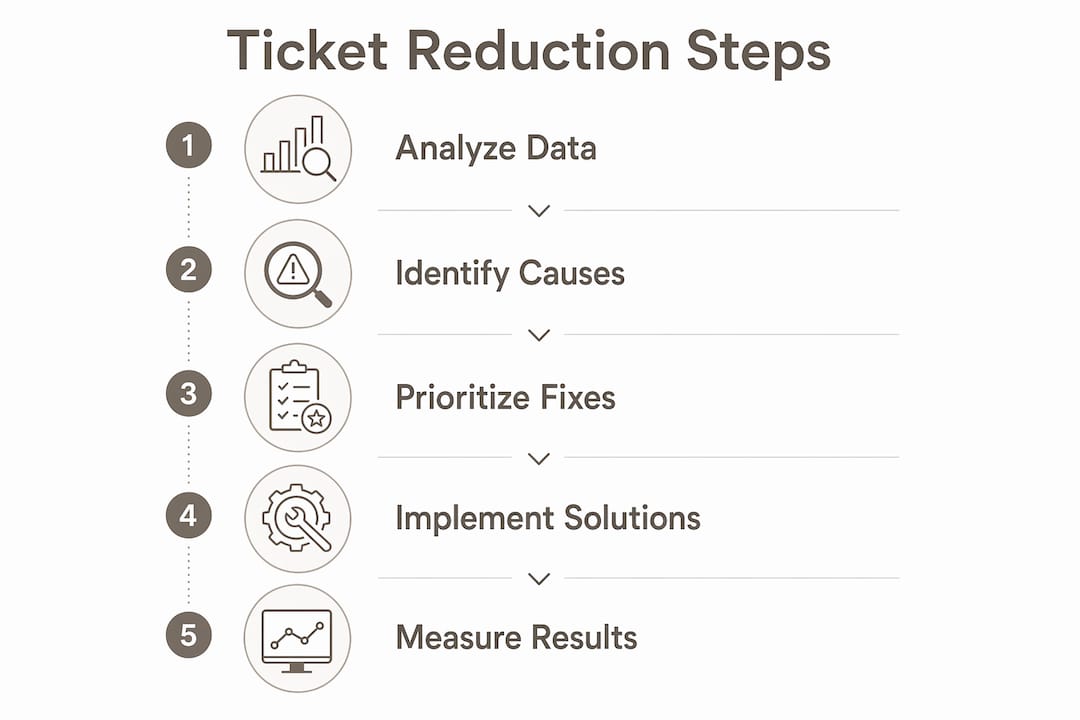
Start with 90 days of ticket data
Pull your last 90 days of tickets and tag every one by intent. You're looking for the top 20 intents ranked by volume, cost, and repeat rate. In most SaaS and e-commerce environments, a large majority of repeatable ticket volume falls into a handful of patterns: onboarding confusion, first-time-use friction, and setup errors. Those are your targets.

Once you have the list, cross-reference it with product analytics. Tools like Mixpanel, Segment, or Google Analytics can show you the exact screen or user state that precedes a ticket. A spike in "where is my order?" tickets that correlates with a specific checkout confirmation screen is a product fix, not a support problem.
Build a prioritized backlog for product
Use a simple impact × frequency × effort framework to rank your ticket drivers. Impact is the ticket volume and cost you'd eliminate. Frequency is how often the issue recurs. Effort is the engineering time to ship the fix. That calculation gives you a ranked backlog your product team can work from.
Common targets worth flagging: confusing checkout flows, misleading error messages, onboarding steps that assume too much prior knowledge, and shipping or billing UIs that set wrong expectations. These aren't edge cases. They're the bread and butter of most support queues.
Pro Tip: Treat prevention as a continuous "shift-left" cadence, not a one-off project. Set monthly ship goals tied to ticket-volume KPIs and review the backlog in every sprint planning session. The teams that sustain 40–45% total reductions over 12 months are the ones that never stop feeding product with ticket data.
Proactive communication is part of prevention too. Status pages and incident notifications can eliminate entire categories of inbound tickets during outages. If customers already know there's a delay, they won't open a ticket to ask about it.
What does effective self-service actually look like?
Self-service is the second layer, and it's where most teams underinvest. A static knowledge base is a start, but it typically plateaus at a modest deflection rate. To push past that ceiling, you need self-service that meets customers where they are, not where you've parked your documentation.
Four steps to optimize your self-service setup
- Audit your content against ticket intents. Take your top 30 ticket drivers and check whether each one has a corresponding help article. If the article exists but tickets keep coming, the article isn't working. Rewrite it for task completion, not for documentation.
- Add semantic search to your help center. Customers don't search the way you write. Semantic search (available in tools like Zendesk Guide, Intercom Articles, or KnowledgeOwl) matches intent rather than exact keywords, so "my package hasn't arrived" finds the right article even if it's titled "Tracking your shipment."
- Surface articles in context inside the product. In-product contextual help wins over a standalone help center because it meets users in the moment. A tooltip or slide-out panel that appears when a user hits a configuration screen is far more useful than a help center they have to go find.
- Add ticket-form deflection. As customers type their issue into a support form, surface suggested articles dynamically. This alone can deflect a meaningful share of tickets before they're submitted. Require a "proof of attempt" field only as a last resort — it frustrates customers who genuinely need help.
In-product help vs. a standalone help center
In-product contextual help is the stronger investment for onboarding and configuration tasks. It removes the need for customers to context-switch, and it delivers the answer at the exact moment of confusion. A well-built self-service experience for small stores can save hours every week without adding headcount.

That said, a help center still matters for customers who arrive via search or who want to explore on their own. The two aren't mutually exclusive. Build both, but prioritize in-product help for your top ticket-driving workflows first.
Pro Tip: Microcopy is underrated. Adding a delivery window estimate ("Ships in 2–3 business days") directly on the product page or order confirmation removes the need for customers to ask. Small copy changes on high-traffic screens can cut an entire ticket category.
A before/after example
A mid-size e-commerce brand noticed that a significant portion of their monthly tickets were about order status. They added a self-service order-tracking widget directly on the post-purchase confirmation page and inside their account dashboard, and rewrote their top five help articles to be step-by-step rather than descriptive. Over an extended post-deploy period (compared to a baseline), that ticket category dropped considerably. The fix required no AI, no new tooling, just better placement and clearer writing.
For more FAQ page templates designed specifically to deflect ticket volume, the Heyernest blog has practical examples you can adapt.
Where does automation actually lower ticket volume?
Automation is the third layer, and it's the one most teams reach for first. That's usually a mistake. Automation compounds on top of prevention and self-service; it doesn't replace them. But when it's deployed correctly, it's the lever that pushes you past the 40% threshold.
The automation levers worth building
- Action-taking AI: An AI agent that can cancel an order, initiate a return, or update a shipping address resolves the customer's intent completely. This is categorically different from a chatbot that links to a help article. Action-taking assistants consistently outperform explanation-only bots because they deliver the outcome rather than the explanation.
- Web and chat deflection for FAQs and status checks: Narrow bots trained on your top 5–10 intents can handle a large share of routine inquiries 24/7, especially for order status, return eligibility, and shipping timelines.
- Smart routing and auto-classification: Automatically tagging and routing tickets by intent reduces handle time and prevents misroutes that generate follow-up tickets.
- Agent copilot tools: AI tools that surface relevant answers, summarize ticket history, and suggest responses can cut average handle time by 30–50%. Agents resolve more tickets faster, which reduces queue buildup and repeat contacts.
The anti-pattern to avoid: A chatbot that only links to articles will plateau at 15–25% deflection — the same ceiling as a static knowledge base. Worse, an AI that hallucinates answers or hands off poorly can actively increase churn. If your bot can't confidently answer, it should route immediately to a human with full context, not send the customer back to search.
Where automation should not go
Emotional moments — cancellations driven by dissatisfaction, billing disputes, complex B2B technical threads — need human judgment. Automating these interactions risks making a bad situation worse. Use automation to handle the transactional, repeatable, and low-stakes. Reserve humans for the moments where empathy and judgment actually matter.
For teams deploying AI assistants for the first time, the AI assistant best practices guide from Tekkr covers common failure modes and how to avoid them.
Run a staged rollout: start with 3–5 high-volume intents, keep escalation paths obvious, and measure bot CSAT separately from agent CSAT. If deflection rises but satisfaction falls, you've moved cost without helping customers. That's not a win.
What should you measure to prove ticket reduction is working?
Measurement is what separates a real reduction from a number that looks good on a slide. Here are the five KPIs that matter most.
Primary KPIs:
- Ticket volume by intent (weekly, broken down by your top 10–15 tags)
- Deflection rate (conversations that resolve without opening a ticket)
- Fully-loaded cost per ticket (salary + tools + overhead, not agent time alone)
- First-contact resolution rate (tickets resolved without a follow-up)
- Downstream churn and activation metrics (to catch cases where deflection hides dissatisfaction)
A minimal measurement dashboard
| Metric | What to track | Cadence |
|---|---|---|
| Ticket volume by intent | Count per top 10 intents | Weekly |
| Deflection rate | % of conversations closed without ticket | Weekly |
| Bot CSAT | Satisfaction score for AI-handled sessions | Weekly |
| Human agent CSAT | Satisfaction score for agent-handled sessions | Weekly |
| Average handle time (AHT) | Minutes per resolved ticket | Weekly |
| Cost per ticket | Fully-loaded cost across all tickets | Monthly |
How to test changes credibly
Use short cohort experiments. Route 50% of users to the new in-product help experience and 50% to the existing help-center link, then measure deflection rate and CSAT for each group over 2–4 weeks. Pre-register your primary metric and minimum detectable effect before you start, so you're not cherry-picking results after the fact.
Compute your fully-loaded cost per ticket before you begin. Most teams undercount because they exclude tool costs and overhead. Once you have the true number, the ROI ranking of your fixes often changes: a product-side fix that removes 200 tickets per month at $20 per ticket is worth $4,000/month in savings, which justifies meaningful engineering time.
What does a realistic 6–8 week rollout look like?
Here's a timeboxed plan that takes you from baseline data to live automation without paralysis.
- Week 0 (prep): Get stakeholder alignment across support, product, and engineering. Pull 90-day ticket data, tag top 3 intents, compute baseline KPIs and cost-per-ticket. This is your before-state.
- Weeks 1–2 (quick wins): Refresh your top 10 help articles for task completion. Add ticket-form deflection suggestions. Ship microcopy fixes on the top ticket-driver screens (delivery windows, error message rewrites, onboarding copy). These changes require no new tooling and can show up in the numbers within days.
- Weeks 3–5 (foundational work): Implement in-product contextual help for your top 3 intents. Deploy semantic search improvements to your help center. Begin product-side fixes for 1–2 high-impact issues from your backlog. This is where you build the infrastructure that makes automation effective.
- Weeks 6–8 (automation): Deploy narrow AI flows for 3–5 intents, with action-taking where it's safe (order status, return initiation, cancellations). Configure escalation and handoff with full context. Train agents on copilot tools and establish the feedback loop from bot telemetry back to your KB.
Owner roles and success criteria:
- Product team: ships the backlog fixes on schedule
- Support ops: owns KB refresh, routing rules, and ticket tagging
- ML/AI team (or vendor): owns bot flows, telemetry, and escalation logic
- Success: target % reduction on scoped intents, neutral or improved bot CSAT, and measurable cost-per-ticket decline by week 8
For e-commerce teams specifically, the ecommerce customer service guide covers the UX and policy changes that have the biggest impact on order, shipping, and returns ticket categories.
What do real before/after examples look like?
Case study A: Help-center redesign at Buffer
Buffer's help-center redesign is one of the clearest public examples of what a focused content overhaul can produce. The team audited their existing articles against actual ticket intents, rewrote the top-performing content for task completion rather than documentation, and improved article discoverability through better categorization and search. The result was a 26% reduction in support tickets over the period studied. No new AI, no chatbot. Just better content, better organized.
What made it credible:
- Baseline measured over a defined pre-change window
- Changes scoped to specific article categories
- Post-change window measured against the same intent tags
- Reduction attributed to the specific content changes, not seasonal variation
Case study B: Action-taking AI for order and returns intents
The methodology for an Ernest-style deployment on an e-commerce store:
- Baseline: measure ticket volume for "order status," "cancel order," and "start return" intents over 90 days pre-deploy. Record cost per ticket and first-contact resolution rate.
- Change implemented: deploy an action-taking AI agent (integrated with Shopify) that can pull live order status, initiate cancellations, and start return flows without routing to a human agent.
- Measurement window: 60 days post-deploy, seasonality-adjusted against the prior-year equivalent period.
- Before/after metrics to report: absolute ticket count for scoped intents, deflection rate (% resolved by AI without human touch), bot CSAT, and cost-per-ticket change.
- Lessons learned: narrow the scope to 3–5 intents first. Measure bot CSAT weekly. Expand only after the first cohort shows neutral or positive satisfaction alongside deflection gains.
The methodology matters as much as the number. A 40% deflection rate that comes with a CSAT drop isn't a success story.
Key Takeaways
Prevention, self-service, and action-taking AI compound to produce 40–60% cost reduction when all levers are deployed together in sequence, with prevention delivering the highest long-term ROI.
| Point | Details |
|---|---|
| Start with ticket data | Pull 90 days of tickets, tag top 3 intents, and compute fully-loaded cost per ticket before making any changes. |
| Prevention beats resolution | Fixing product friction removes tickets permanently; a ticket that never enters the queue costs nothing. |
| Self-service has a ceiling | Static knowledge bases plateau at 15–25% deflection; in-product contextual help pushes past that ceiling. |
| Action-taking AI outperforms explanation bots | AI that completes user tasks (cancel, return, status check) reaches 50–90% deflection on focused intents. |
| Heyernest fits the automation layer | Ernest handles order status, cancellations, and returns via Shopify integration, covering the highest-volume e-commerce intents 24/7. |
Why prevention should lead your ticket-reduction strategy
Most teams I see reach for the chatbot first. It's the most visible change, it has a clear vendor to buy from, and it feels like progress. But automation layered on top of a broken product or a thin knowledge base just automates frustration. Customers hit the bot, don't get their answer, and either churn quietly or escalate to a human anyway. You've added complexity without removing cost.
Prevention is harder to sell internally because it requires product team buy-in and a costed backlog. But it's the only lever that permanently removes ticket volume rather than rerouting it. Every product fix you ship is a compounding asset: it keeps working for every customer who would have hit that friction point, indefinitely.
The other thing I'd push back on is the instinct to measure deflection in isolation. Rising deflection with falling satisfaction is not a win. It means you've moved cost without helping customers, and the churn signal will show up in your retention metrics before it shows up in your support queue. Measure both, always. Treat CSAT and downstream activation as guardrails on your deflection rate, not as separate dashboards.
The teams that sustain 40%+ reductions over 12 months are the ones that treat this as a continuous system: ticket data feeds the product backlog, product fixes reduce volume, self-service handles what's left, and automation handles the remainder. That loop never stops.
Ernest handles the hardest part of the automation layer
If you've followed the playbook this far, you know that the automation layer only works when the AI can take action rather than explain. That's exactly where Ernest fits.
Ernest is an AI-powered support agent built specifically for e-commerce. It connects with Shopify to pull live order data, initiate cancellations, and start return flows, covering the three intents that drive the most ticket volume for online stores. It ingests your FAQs, policies, and product information quickly, so you're not spending weeks on setup before you see results.
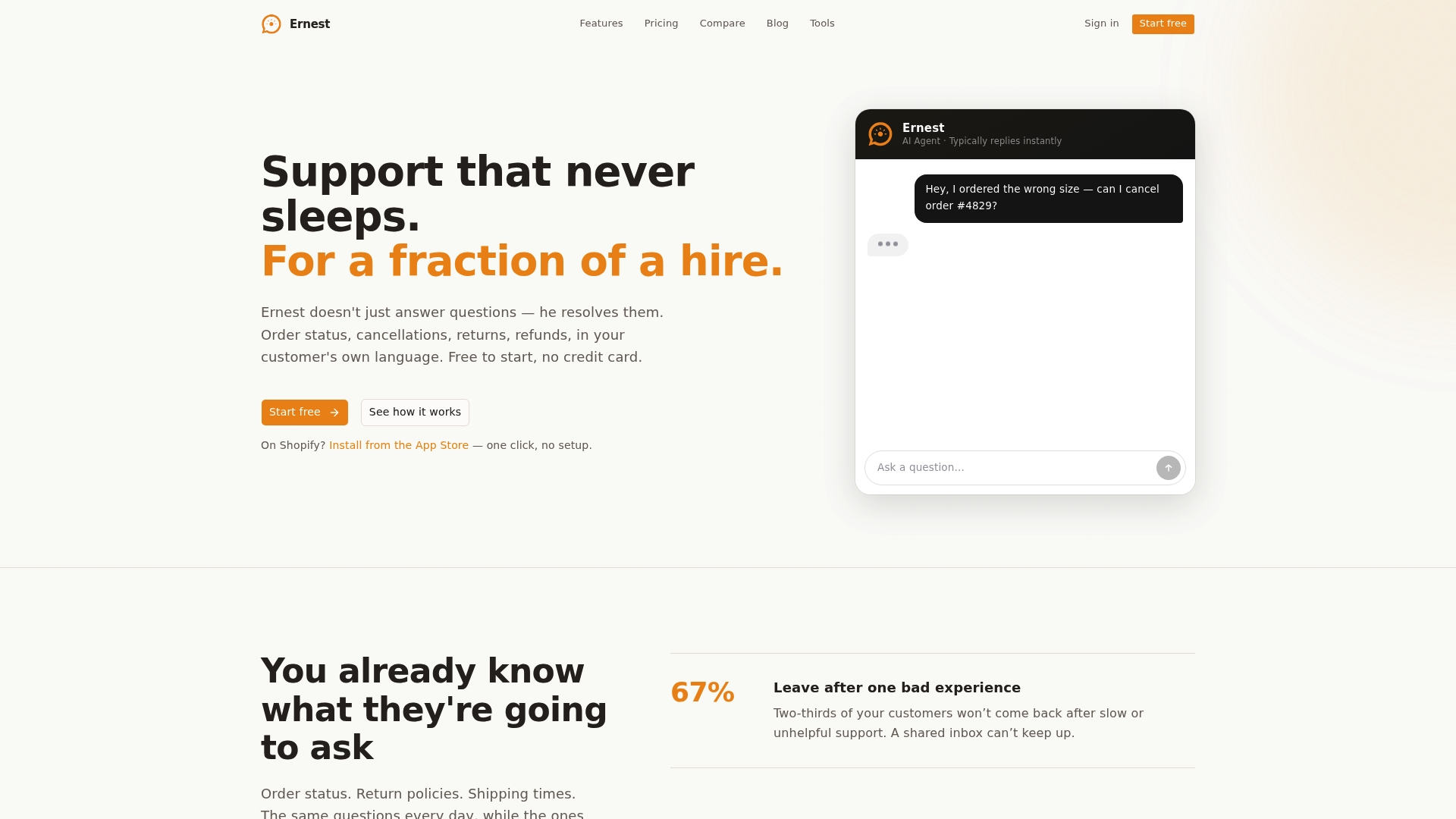
What makes Ernest different from a generic chatbot is that it takes action. A customer asking "where is my order?" gets a live status update, not a link to a tracking page. A customer who wants to cancel gets the cancellation started, not a form to fill out. That's the difference between 15% deflection and 50%+. Ernest also handles escalations cleanly: when a case needs a human, it hands off with full context so your agent doesn't start from scratch.
Ernest works 24/7, supports multiple languages, and is priced transparently across all tiers, including AI features, without per-seat or per-interaction fees that make costs unpredictable as volume grows. If you're ready to see what that looks like for your store, check the pricing page or start on the free tier directly.
Sources and further reading
The following resources were used in building this playbook and are worth bookmarking for implementation.
- How to deflect support tickets with an in-product AI assistant (Frigade): The most detailed public breakdown of action-taking AI deflection rates vs. static help centers. Use this to build the business case for in-product AI over a standalone chatbot.
- How to Reduce Customer Support Costs with AI (Hyperleap): Covers the five-lever stack, realistic timelines for 90-day deployments, and how to compute fully-loaded cost per ticket. Use this for ROI modeling and stakeholder presentations.
- How to Reduce Ticket Volume (Mosaic AI): Practical guidance on deflection strategy, agent copilot tools, and incident communication. Use this for the prevention and measurement sections of your own rollout.
- How to reduce support tickets by 26% after help center redesign (Buffer case study): The clearest public before/after example of a content-only KB redesign. Use this as a template for scoping and measuring your own help-center project.
- AI Customer Support Agent (Aros Platforms): A partner resource on integrating conversational AI for customer support, with practical patterns for implementation.
- Self-Service Customer Service Is Saving Small Stores Hours Every Week (Heyernest): Practical examples of self-service setups that reduce agent load without adding headcount.
- 30 Customer Service Statistics Small Businesses Should Know (Heyernest): Quick benchmarks for KPI targets and ROI calculations, useful for grounding your baseline metrics.
Recommended
- Customer Service for Small Business: What Works When You're Wearing Every Hat | Ernest Blog
- FAQ Page Examples (and How to Build One That Deflects Tickets) | Ernest Blog
- Best Customer Service Software for Small Business in 2026: A No-Fluff Comparison | Ernest Blog
- Ecommerce Customer Service: What Small Stores Get Wrong (and How to Fix It) | Ernest Blog